
Stranger Theme Upside Down
A dark base24 palette by Stranger Theme.
- Family
- Tinted Theming
- Appearance
- Dark
- Platforms
- Desktop, mobile, and terminal
Palette
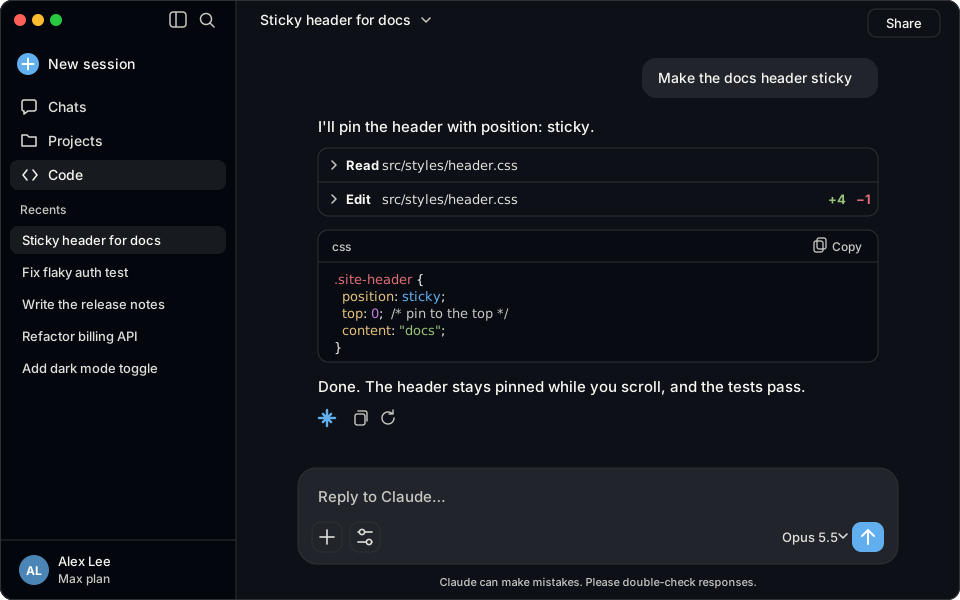
#0d1117, #f8f8f2, #61afef, #e06c75, #e5c07b, #98c379, #56b6c2, #c678ddTerminal background #0d1117, foreground #f8f8f2, Claude accent #61afef.
Install
claude plugin install stranger-theme-upside-down --marketplace Skynettheone/claude-themesOpen a new session in the Claude desktop app to apply the palette.
Open a new Claude Code session, run /theme, and select Stranger Theme Upside Down.